
Contractors get their own rules, not the visitor ones.
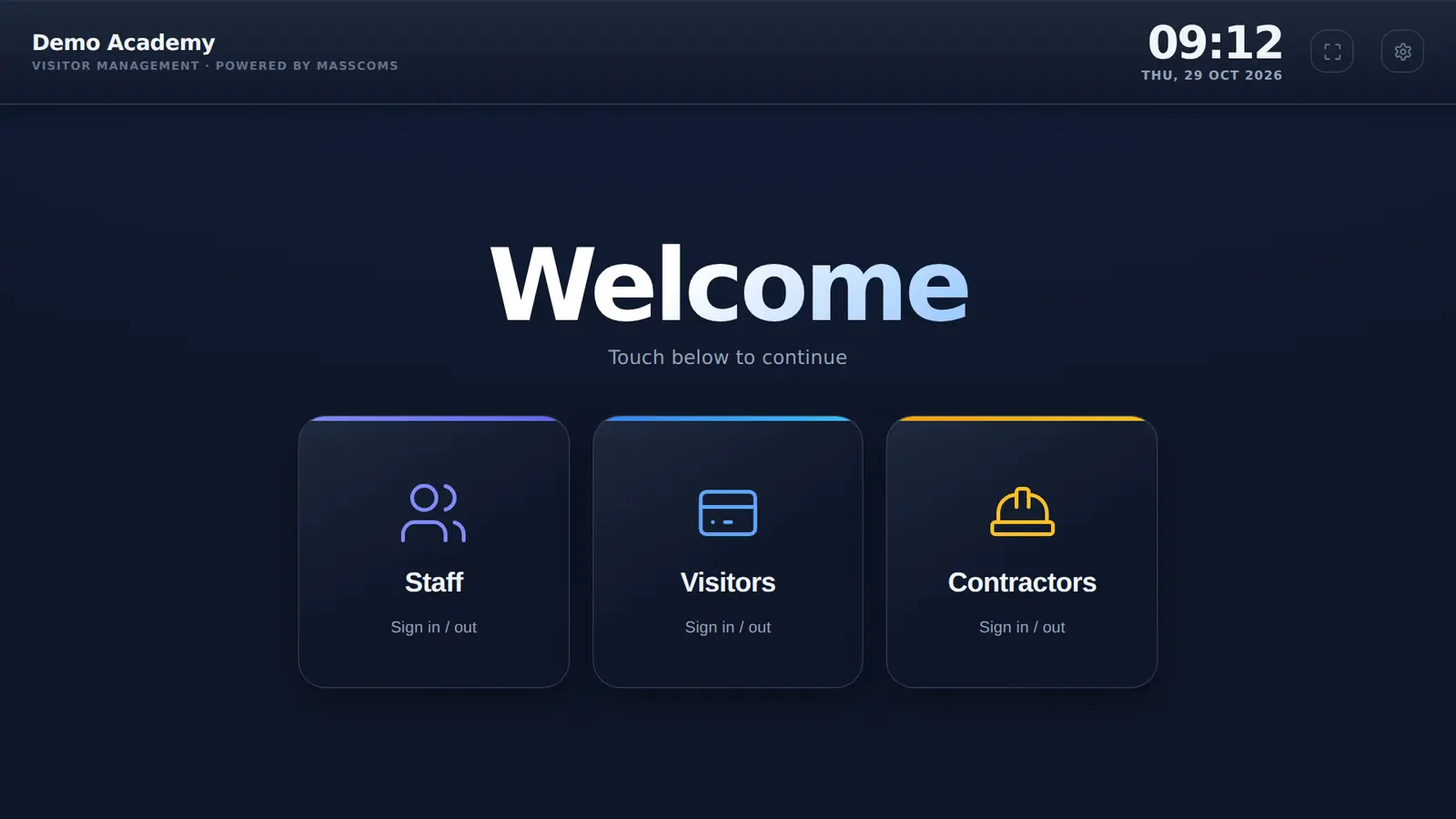
Switch on contractor sign-in and trades get their own button at the kiosk, their own health and safety rules to accept and a CONTRACTOR badge. Your estates team sees them counted on their own.
How does contractor sign-in work in MassVisit?
Contractors tap Contractors at the kiosk, or choose Contractor on the registration page. They fill in the same short form, tick to accept your contractor rules and print a CONTRACTOR badge. They are counted separately in the admin page and labelled as contractors in Mass Coms roll call.
- Default
- Off until switched on in Settings
- Rules
- Separate contractor text, acceptance time stamped
- Badge
- CONTRACTOR in large type
- Roll call
- Labelled as contractors, with company and phone
- Checked
Every field on the form, and where it goes.
Nothing is collected for its own sake. Each answer ends up somewhere your team uses it.
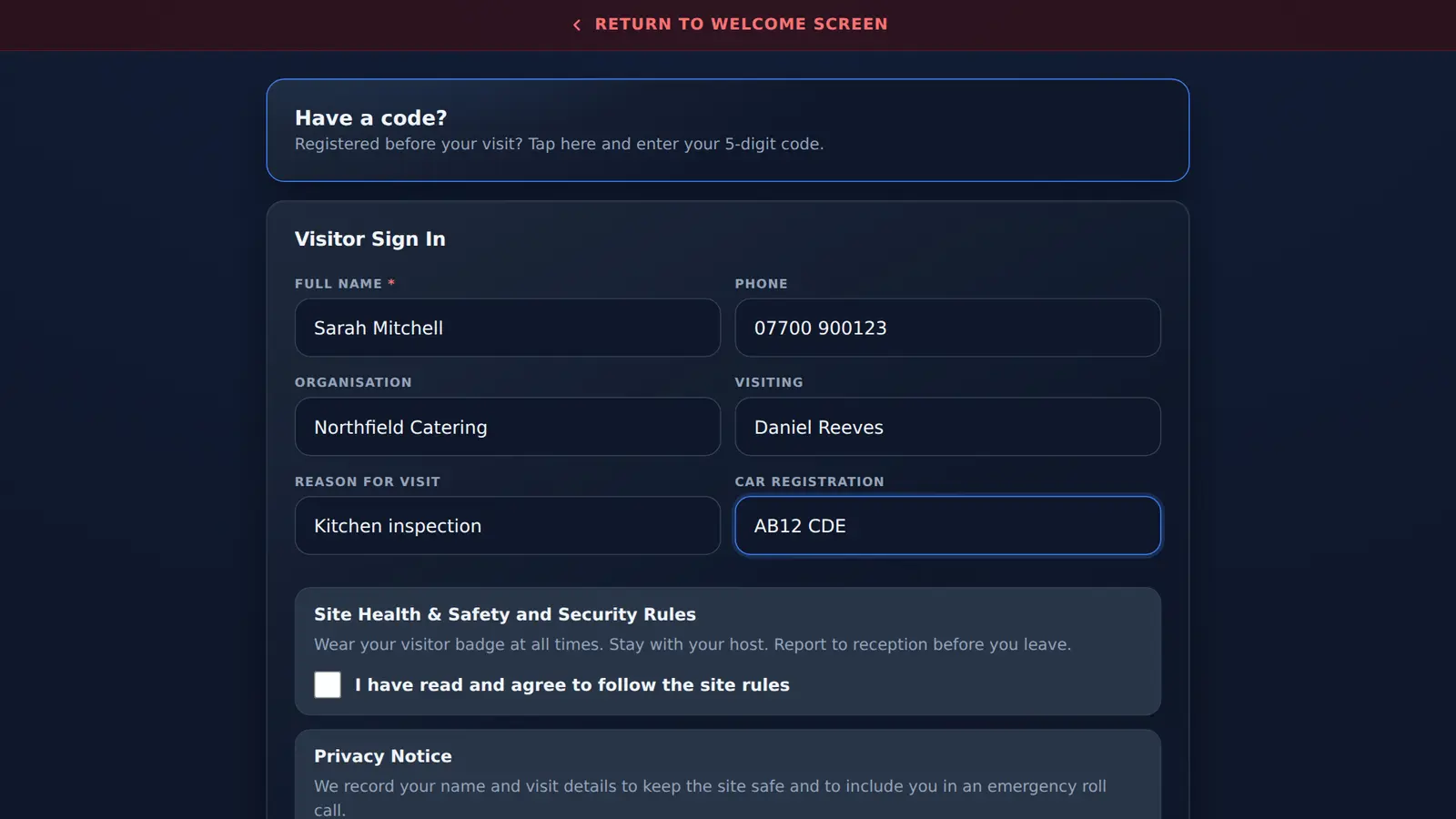
| Field | Required | Where it is used |
|---|---|---|
| Full name | Yes | Badge, on-site list, roll call, host email |
| Phone | No | Roll call, and the emergency text where SMS is set up |
| Organisation | No | On-site list, roll call and the host email |
| Visiting | No | Badge and host email. Matched against your staff list |
| Reason for visit | Only if switched on | The job or work area. Shown in the host email and roll call |
| Car registration | Only if switched on | Host email, roll call and the emergency email to staff |
| Contractor rules | If you write any | Must be ticked to sign in. Acceptance time stored |
| Privacy notice | If you write one | Must be ticked to sign in. Acceptance time stored |
Taken from the sign-in form and the on-site feed in the MassVisit code, October 2026.
Your induction, accepted at the kiosk.
The contractor rules box takes your own wording. Many sites use it for a short induction: permit to work, PPE, hot works, where to report and who to call. A contractor cannot sign in without ticking it, and the time they did is stored with the visit.
- Separate from the rules visitors see
- Accepted again on every visit, or at pre-registration
- Records acceptance only: keep your own permits and document checks
On the list when the alarm sounds.
Contractors often work in plant rooms and roof spaces that nobody else visits. Being on the roll call list, labelled as contractors with a phone number, gives your team somewhere to start.
- Emergency text to contractors who gave a phone number, where SMS is set up
- Company and host on each entry
- Never sent as on site once they sign out
Contractor questions.
All featuresCan contractors sign in separately from visitors?
Yes. Switch on contractor sign-in and the kiosk shows a Contractors button, and the registration page offers a Contractor option. It is off until you turn it on.
Can contractors have different site rules?
Yes. Write contractor health and safety and security rules separately from your visitor rules. Contractors must tick to accept them before signing in, and the time is recorded with the visit.
Can we put our contractor induction in the rules?
Yes. The contractor rules box takes your own wording, so a short induction summary can go there. MassVisit records that it was accepted and when. It does not test understanding or store documents.
Are contractors included in roll call?
Yes. Contractors who have not signed out are on the on-site list, labelled as contractors, with their company, phone number and car registration where given.
Does it check insurance or permits?
No. It records who signed in and that they accepted your rules. Keep your own permit to work and document checks.
Set up contractor sign-in in your demo.
Bring your contractor rules and we will show you the kiosk, the badge and the roll call list.