
Staff sign in with one tap on their name.
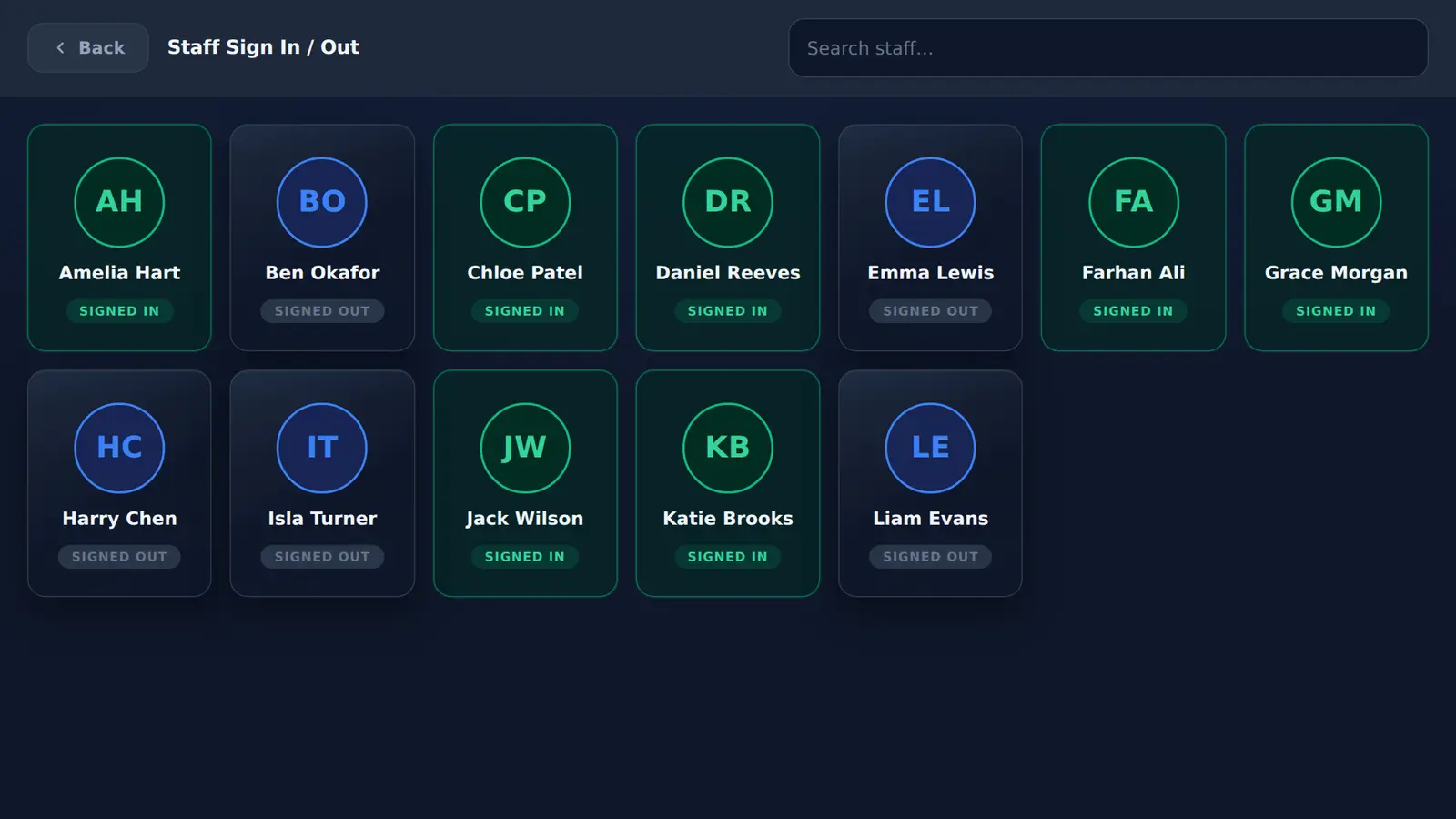
Every member of staff has a card on the kiosk with their photo or initials. Tap it, confirm, and the card turns green while they are on site.
How does staff sign-in work on the kiosk?
Staff tap Staff on the welcome screen, find their name card and confirm. The kiosk records that they signed in or out that day, and signed-in staff are included in the on-site list Mass Coms uses for roll call.
- Sign-in
- Tap the name card, then confirm
- Find a name
- Search box above the cards
- Card
- Photo, or initials if no photo
- Record
- Signed in or out, per person per day
- Checked
The fire book only knows who remembered to write.
When staff sign in on the same kiosk as visitors, the people who work on site are on the same list as everyone else, and on the list your response team gets.
- Green card and Signed In label while they are on site
- Confirm step before anything changes
- Signed-in staff can be emailed the on-site list when an emergency alert is raised
Set up in four steps.
Everything is done in the admin page. There is nothing to configure on the tablet.
- 01
Add staff
Name and email for each person, plus a photo link if you want faces on the cards.
- 02
Tell staff
They tap Staff on the welcome screen, find their card and confirm. No PIN to remember.
- 03
Search
On a long list, staff type part of their name in the search box above the cards.
- 04
Check the board
The admin page shows how many staff are signed in now, next to visitors and contractors.
Staff sign-in questions.
All featuresDo staff need a PIN or a card to sign in?
No. Staff tap their own name card and confirm. There is no PIN, fob or app to set up.
Can we add staff photos?
Yes. Each staff member can have a photo link in the admin page. Without one, the card shows their initials.
Are signed-in staff included in roll call?
Yes. Staff who are signed in are part of the on-site list Mass Coms uses for roll call, alongside visitors and contractors.
Does it produce timesheets?
No. It records whether each person signed in or out each day, for the on-site list. It is not a time and attendance system.
Put the staff board on your reception desk.
We add a few of your staff in a demo and show you the board and the roll call list side by side.