When the alarm goes, the list is already there.
Everyone signed in at the kiosk is shared with Mass Coms roll call. The moment an incident is declared, the kiosk itself turns into an alert screen for whoever is standing at reception.
What happens to the visitor list in an emergency?
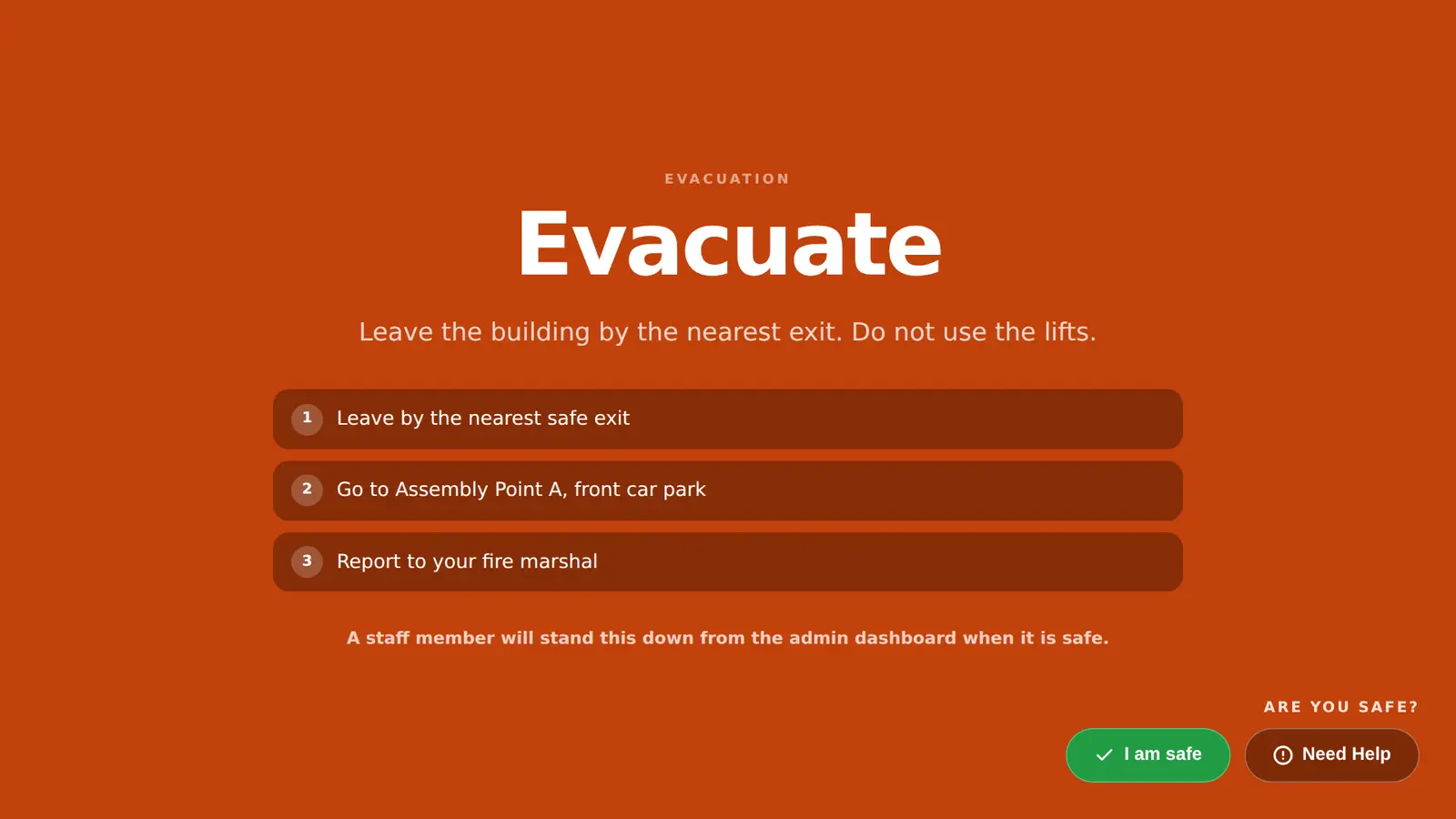
It becomes the starting list for roll call. Staff, visitors and contractors on site are shared with Mass Coms, and the reception kiosk switches to a full-screen alert with your response plan. Your team still reconciles the list at the assembly point.
- On the list
- Signed-in staff, visitors, contractors
- Details
- Company, host, phone, car registration
- On the kiosk
- Alert, spoken message, Are you safe?
- Stand down
- Authorised staff only
- Checked
Who was recorded on site, in one place.
Mass Coms reads the kiosk's on-site list for roll call. The kiosk totals and the roll call come from the same rows, so they cannot disagree, and anyone who has signed out is never sent as on site.
- Contractors labelled separately from visitors
- Company, host and phone number for each visitor
- Car registration where you ask for it
What reception sees, in order.
From the moment an incident is declared to the moment it is stood down.
- 01
The alert
A full-screen overlay in the incident colour, with the title, message and response plan.
- 02
The voice
The announcement read aloud, in a natural voice where one is set up, or the device voice.
- 03
The way out
For an evacuation, the approved route from the kiosk's room, kept on the device in case the network is slow.
- 04
The check-in
Are you safe? with I am safe and Need Help. The answer goes to your response team.
Reaching the people who are actually here.
The on-site list is also who you message. Each channel is set up per organisation.
Email to signed-in staff
An emergency email to every member of staff signed in, listing everyone recorded on site.
Text to visitors
Visitors and contractors who gave a phone number get an emergency text. Needs SMS set up.
Raised from reception
Authorised staff can sign in at the kiosk with their own Mass Coms account and choose an incident.
Practise it before you need it.
Run a clearly marked drill with the kiosk in place. Check the list, the alert and how your team follows up people who have not been accounted for, then fix the gaps.
- Reconcile missed sign-outs afterwards
- Agree a paper fallback for a network outage
- Mass Coms supports your procedures and records; it does not certify legal compliance
Three products. One platform.
MassVisit is part of Mass Coms, with MassCasts alongside it. Each works on its own. Together they cover everyone in the building, every day and in an emergency.
 Emergency platform
Declare a lockdown or evacuation and reach staff phones, PA, SMS, doors and screens at once, with a record of every step.
masscoms.com
Emergency platform
Declare a lockdown or evacuation and reach staff phones, PA, SMS, doors and screens at once, with a record of every step.
masscoms.com
 Digital signage
Notices, menus and welcomes every day. The alert and the way out on every screen when it matters.
masscasts.com
Digital signage
Notices, menus and welcomes every day. The alert and the way out on every screen when it matters.
masscasts.com
 Visitor management
Sign-in, badges and host emails at reception, so you always know who is on site.
You are here
Visitor management
Sign-in, badges and host emails at reception, so you always know who is on site.
You are here
- MassVisit
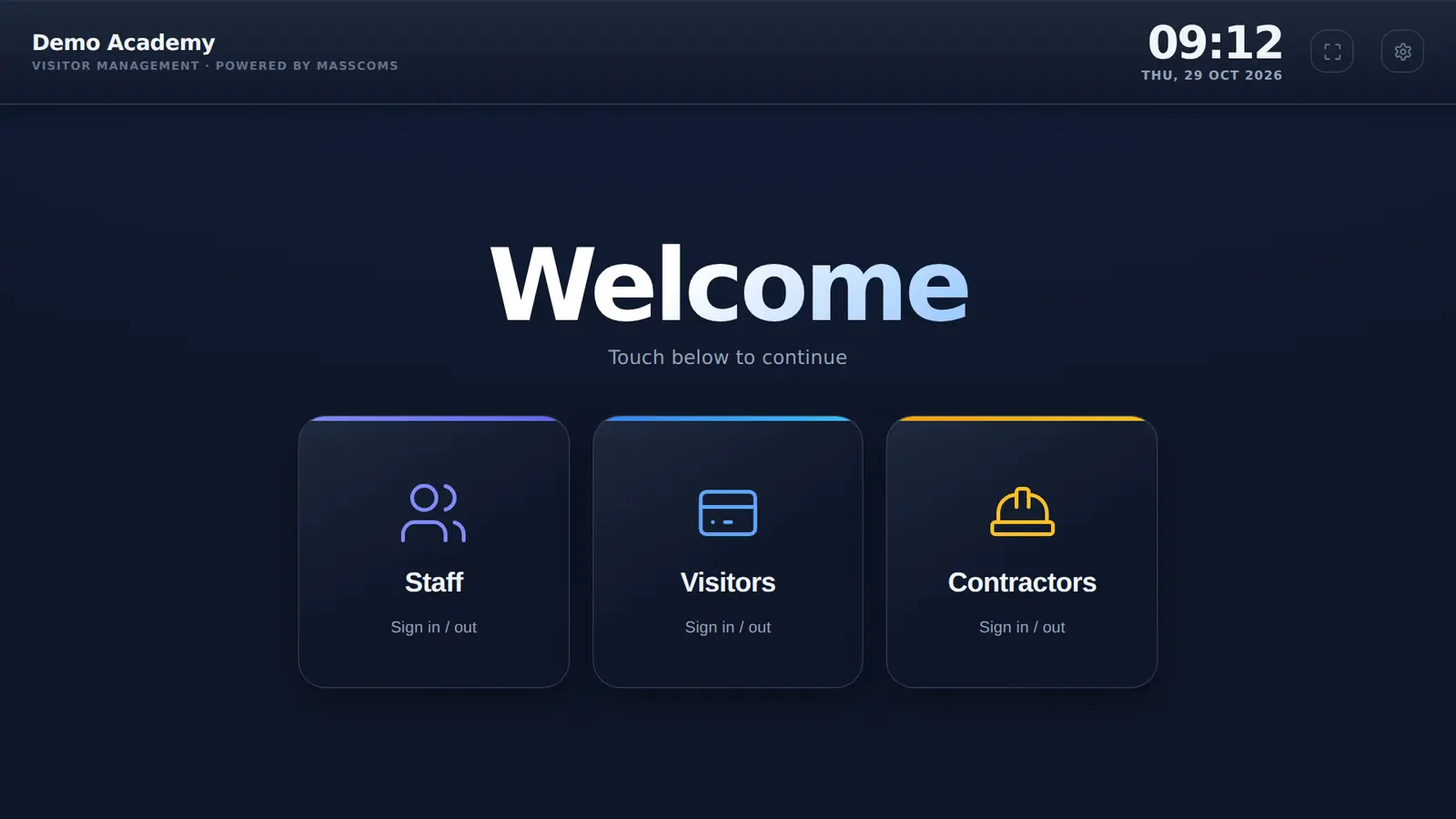
A visitor signs in at reception and prints a badge. Their host gets an email.
- MassCasts
The reception screen welcomes them by name, then goes back to its playlist.
- Mass Coms
Later, staff declare an evacuation from their phone.
- MassCastsMassVisit
Every screen shows the way out, and the roll call lists who is on site, visitors included.
Roll call questions.
Every question answeredHow does visitor sign-in feed emergency roll call?
Mass Coms reads the kiosk's on-site list: staff who are signed in, plus visitors and contractors who have not signed out, with their company, host, phone number and car registration where given. That list is the starting point for roll call.
What does the kiosk show during an incident?
A full-screen alert in the incident colour with the title, message and response plan. It reads the announcement aloud, asks Are you safe? with I am safe and Need Help buttons, and for an evacuation shows the exit route for its room when one is set up.
Can someone at reception cancel the alert?
No. There is no all-clear button on the public kiosk. The alert clears when an authorised person resolves the incident in the admin page or in Mass Coms.
Does the on-site list prove who is still inside?
No. People forget to sign out or come in another way. Your team should check the list against what they see at the assembly point.
Declare a practice incident in your demo.
We sign a visitor in, raise a test evacuation and show you the kiosk alert and the list your team works from.