
A badge that says who they are and who they are with.
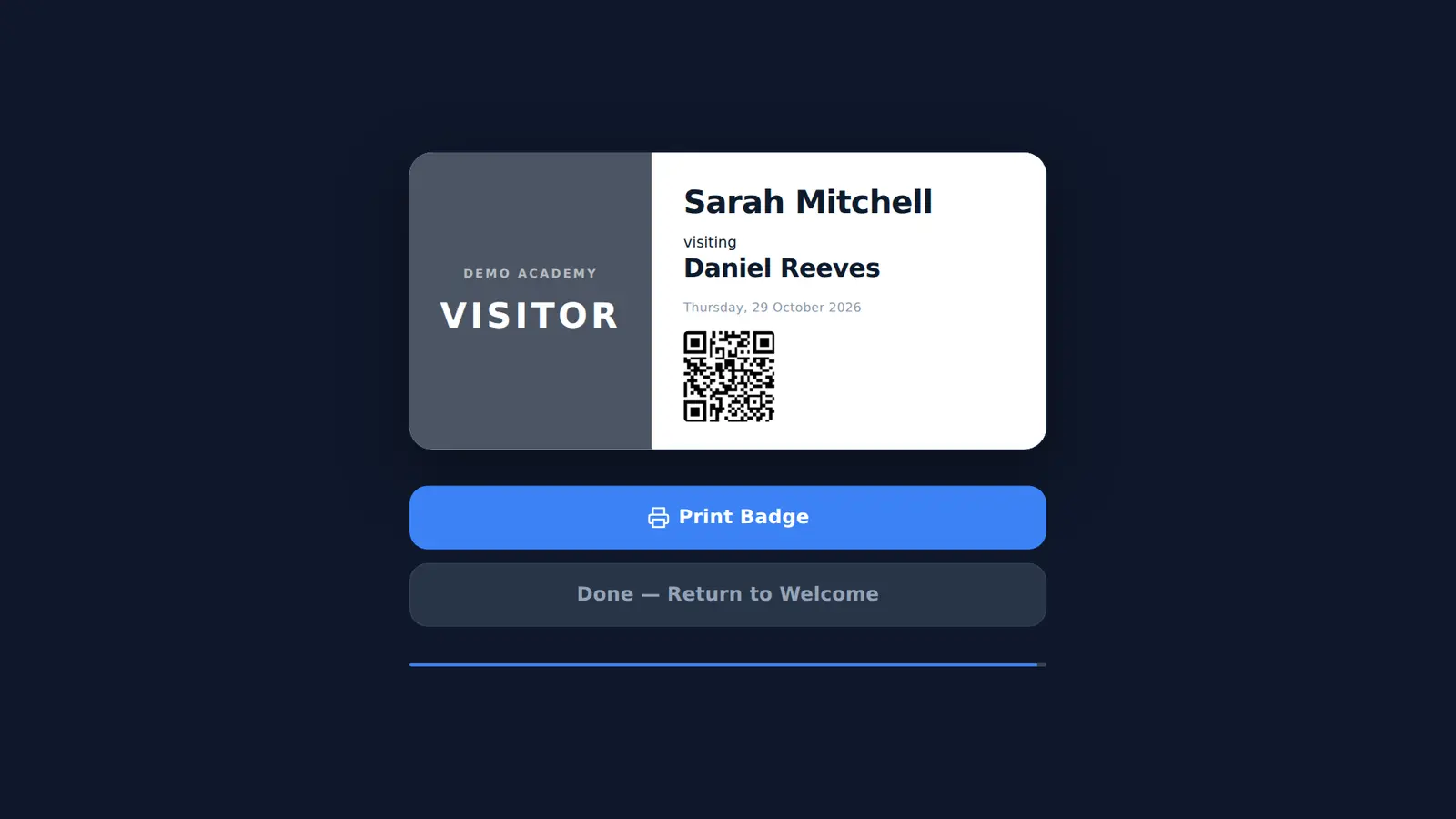
After signing in, visitors see their badge on screen and tap Print Badge. Your organisation name, VISITOR or CONTRACTOR, their name, their host, the date and a QR code.
What is on a Mass Coms visitor badge?
The organisation name, the word VISITOR or CONTRACTOR in large type, the visitor's name, who they are visiting, the date and a QR code unique to that visit. It is laid out for 86 x 60 mm labels.
- Label size
- 86 x 60 mm
- Printer
- Brother QL-820NWB over Wi-Fi
- Badge types
- VISITOR and CONTRACTOR
- Reprint
- From the on-site list on the kiosk
- Checked
Readable from across a corridor.
A badge is only useful if staff can tell at a glance who someone is and who is responsible for them.
Type first
VISITOR or CONTRACTOR in large type on a dark panel, sized to fit either word.
Who they are seeing
The host's name sits under the visitor's name, so staff know who to ask.
QR code
Each badge carries a QR code unique to that visit.
Printed in one tap
The Android kiosk app sends the badge to a Brother QL-820NWB on the same Wi-Fi.
Found automatically
The app finds the printer on the network, or you can type its IP address in setup.
Lost badge
Reprint from the on-site list on the kiosk, next to the visitor's name.
Printing from other devices.
Not every reception uses the Android app.
| Kiosk runs on | How badges print |
|---|---|
| Android tablet or touch panel with the kiosk app | Straight to a Brother QL-820NWB over Wi-Fi |
| Fire OS device with the kiosk app | Straight to a Brother QL-820NWB over Wi-Fi |
| An enrolled web browser | Through the browser's print dialog |
We confirm the printer and label stock with you before you order.
Badge questions.
All featuresWhich printer do I need for visitor badges?
A Brother QL-820NWB on the same Wi-Fi as the kiosk. The Android kiosk app finds it on the network and prints straight to it.
What size are the badges?
The layout is designed for 86 x 60 mm labels.
Are contractor badges different?
Yes. Contractors who sign in through the contractor route get a badge that says CONTRACTOR instead of VISITOR.
Can we reprint a badge?
Yes. The on-site list on the kiosk has a print button next to each visitor.
Print a real badge in your demo.
Bring your logo. We sign in a test visitor and print the badge so you can see it at full size.