
Reception that greets guests and counts heads.
Guests sign in, accept your rules and leave with a badge while their host gets an email. Staff tap in and out. If you evacuate, the list is already with your response team.
How does MassVisit work in an office?
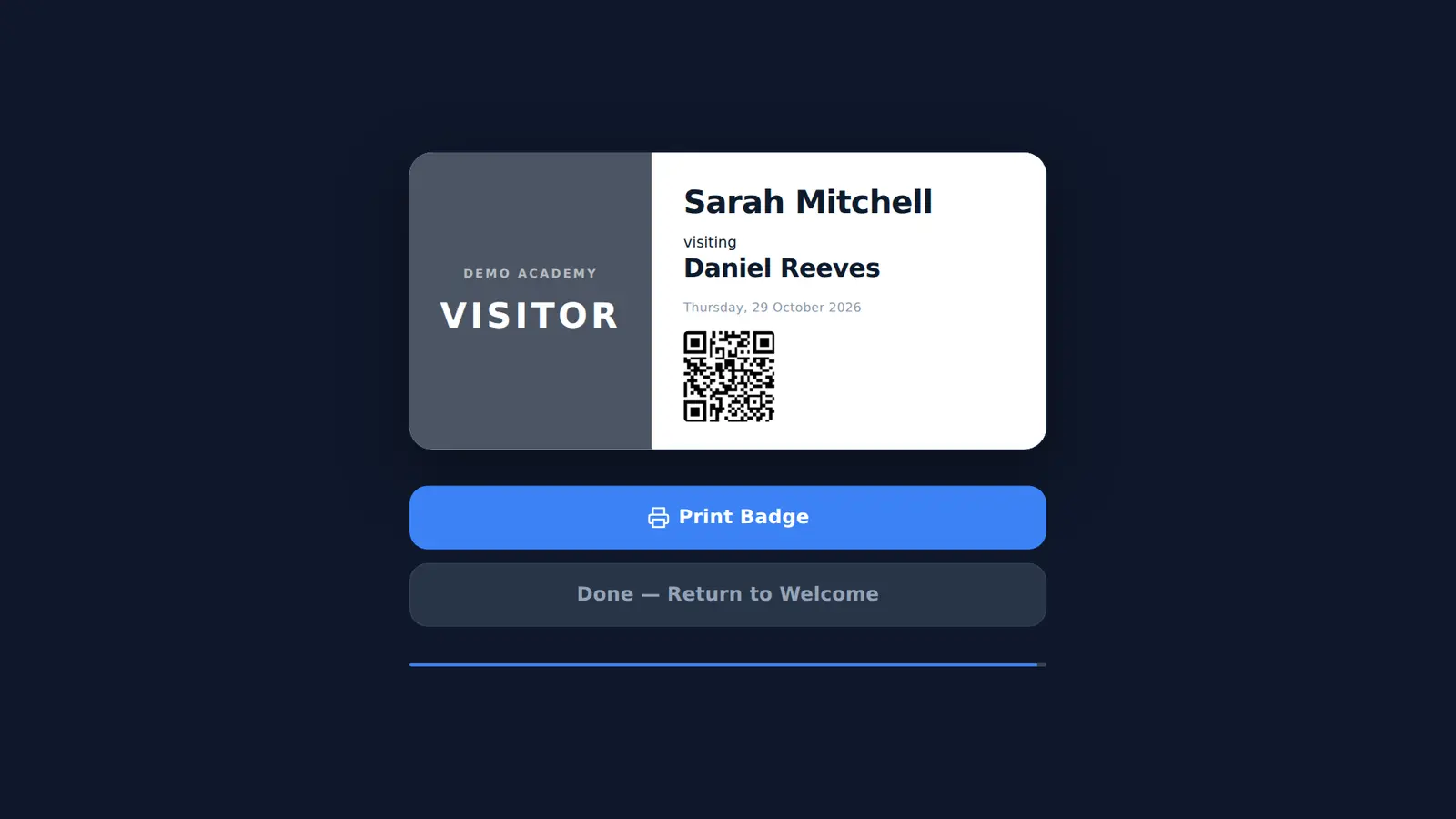
Guests sign in at the kiosk or with a pre-registration code, print a badge and their host is emailed. Staff sign in and out on the same kiosk. Everyone on site is shared with Mass Coms, so an evacuation roll call starts from one list instead of a visitor book and a fire book.
- Guests
- Form or 5-digit code, then a badge
- Hosts
- Emailed on arrival, or reception if unmatched
- Staff
- Tap in and out on the same kiosk
- Price
- First site free in year one, then £499 per site per year, 3-year minimum
- Checked
What changes at the front desk.
Less phoning round, and a fire list you can trust more than the book.
- Hosts know firstThe person being visited is emailed the moment their guest signs in.
- Meetings booked aheadPut the registration link in the invite. Guests type a code on arrival.
- Staff in and outStaff tap their name, so the on-site list includes the people who work there.
- Welcome on screenWith MassCasts, the reception screen greets each guest by name.
- Mass Coms accountsAdmins sign in with Mass Coms or Microsoft. Remove a user there and access ends.
The email the host gets, word for word.
When a guest signs in, MassVisit matches the name they typed against your staff list. One match, and that person gets this email. No match, two matches or a blank box, and it goes to your reception address with a line saying what the guest typed.
- Subject: "Name has arrived at your organisation"
- Organisation, reason for visit and car registration where given
- A separate email when someone pre-registers to see them
Hi Daniel,
Sarah Mitchell has signed in at reception and is waiting for you.
| Type | Visitor |
| Organisation | Northfield Catering |
| Reason | Kitchen inspection |
| Car registration | AB12 CDE |
A fire list that includes your guests.
Signed-in staff and every guest who has not signed out are shared with Mass Coms roll call. Signed-in staff can be emailed the list, and guests who left a phone number can get an emergency text where SMS is set up.
Emergency roll call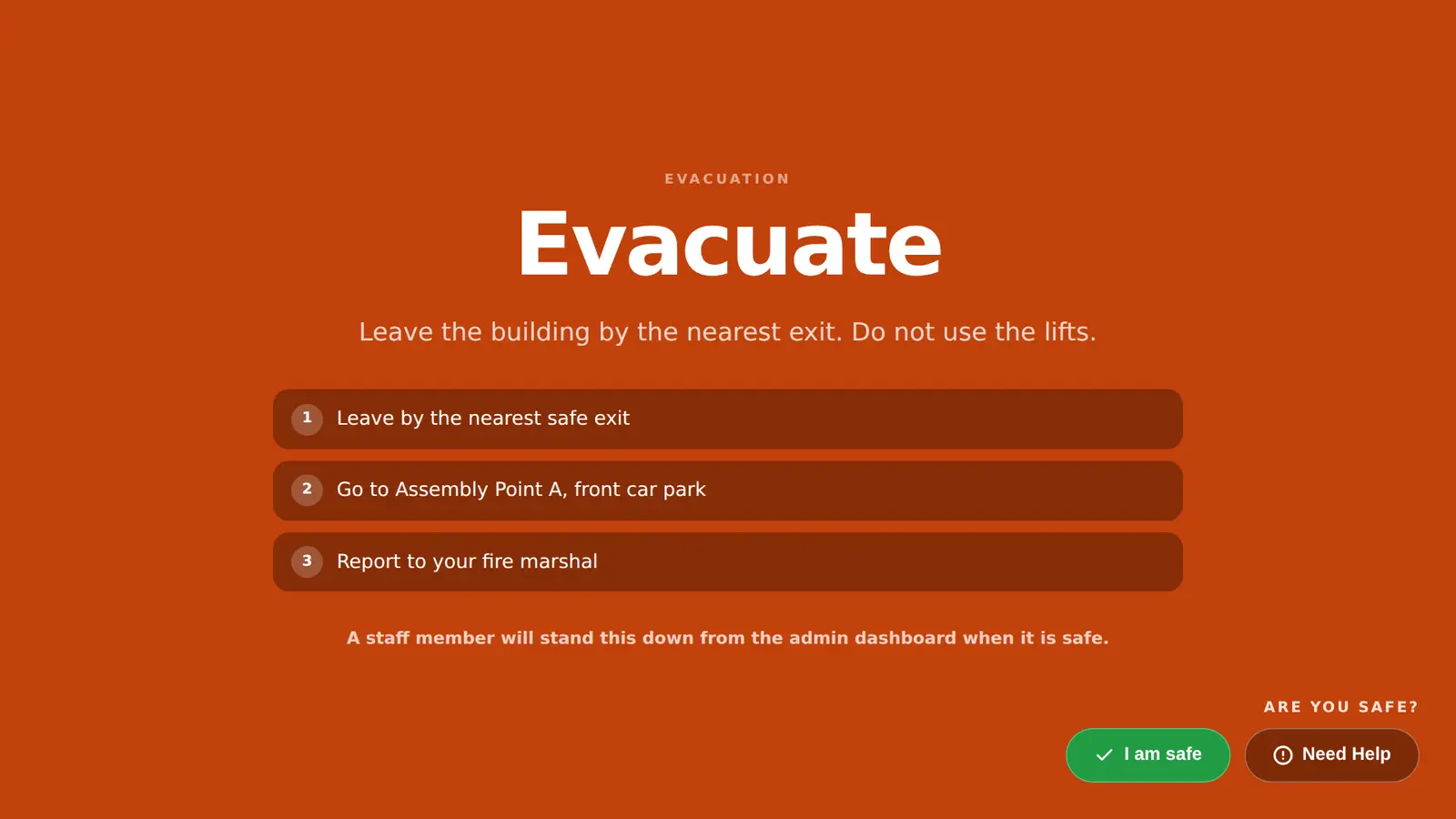
Priced per office, not per guest.
Each geographically separate office is a site, however many guests it has.
First site, year one
£0
On a 3-year sign-up. Every MassVisit feature, including the link to roll call.
Every other site-year
£499 per site / year
Three regional offices: £998 in year one, then £1,497 a year. £3,992 over 3 years.
3-year minimum term. Additional sites are £499 each per year from year one. No Mass Coms subscription is needed. Tablets and printers are not included. Full pricing
Questions offices ask.
Every question answeredWhat does MassVisit do for an office?
Guests sign in, accept your rules and print a badge while their host gets an email. Staff tap in and out on the same kiosk, so the on-site list covers everyone for an evacuation.
Can the host be emailed when their guest arrives?
Yes. Switch on the arrival email. The email says the guest has signed in and is waiting, with their organisation, reason for visit and car registration where given.
What if a guest types the wrong host name?
If the host is blank or does not match exactly one person on your staff list, the email goes to your reception address instead, and says what name the guest typed.
Can our reception screen welcome guests by name?
Yes, with MassCasts. A reception screen can show the guest's name, company and host when they sign in.
Can admins use their Microsoft accounts?
Yes, where the Microsoft account is linked to your Mass Coms organisation.
Put a kiosk on your reception desk.
We sign a guest in, email their host and print a badge in the demo.