
Primary school sign-in for a one-person office.
Parent helpers, visiting speakers and the odd plumber, all at one hatch, often with one person behind it. The kiosk takes the paperwork so the office can keep an eye on the door.
How does MassVisit help a primary school office?
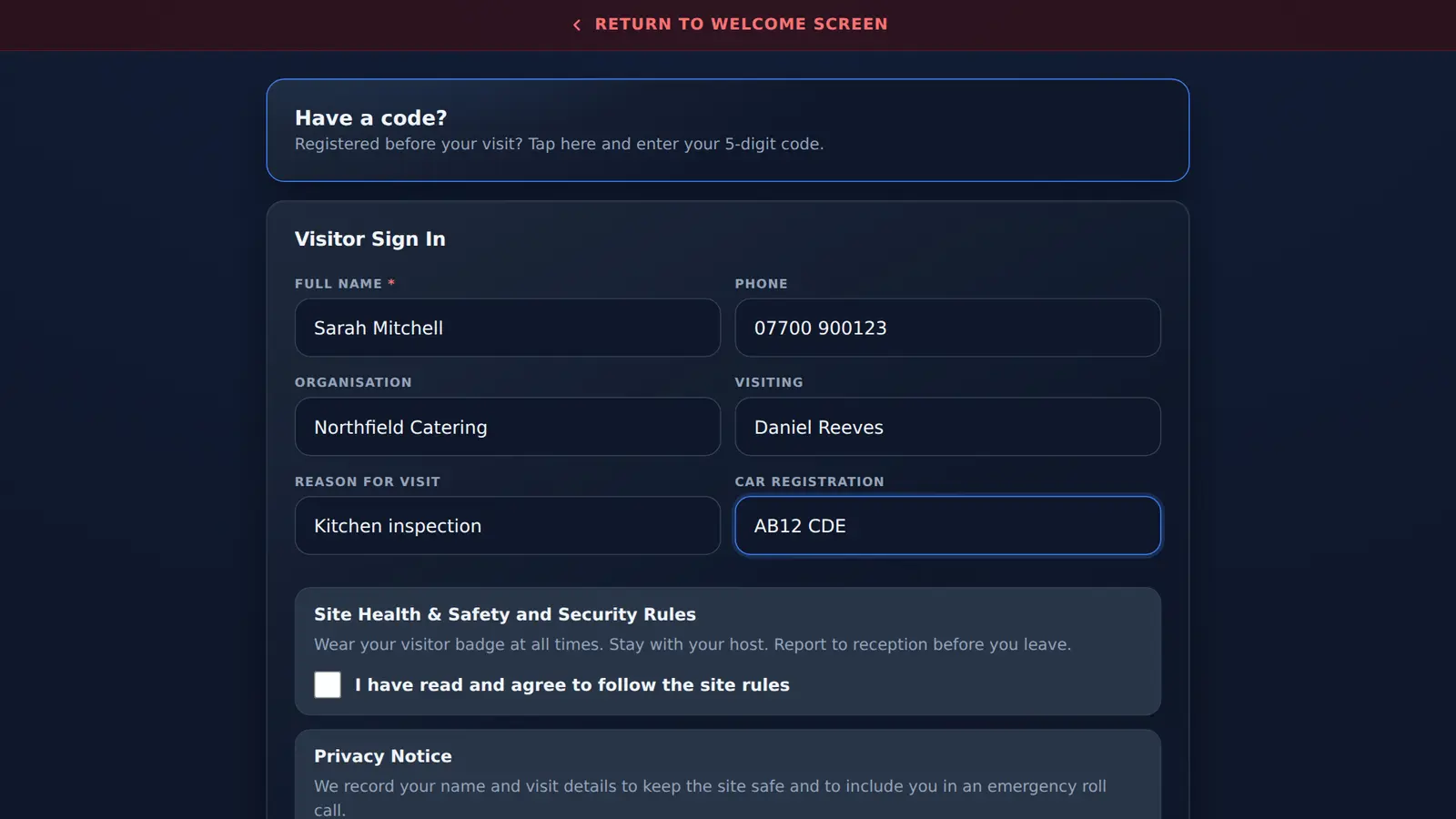
Visitors and volunteers sign themselves in at the kiosk, tick your rules and print a badge, while the office gets on with its day. Staff tap their name in and out. If you lock down or evacuate, the people signed in are already on the list for your response team.
- Typical setup
- One kiosk at the main entrance
- Volunteers
- Sign in as visitors, reason optional
- 1 site, 3 years
- £998, platform extra
- Martyn's Law
- Standard tier at any size
- Checked
What is different at a primary school.
Small office, lots of familiar faces, one way in.
- Parent volunteersSign in as visitors. Use reason for visit for reading, trips or clubs, so the office knows why they are in.
- One person on the officeVisitors serve themselves at the kiosk while the office handles the phone and the door.
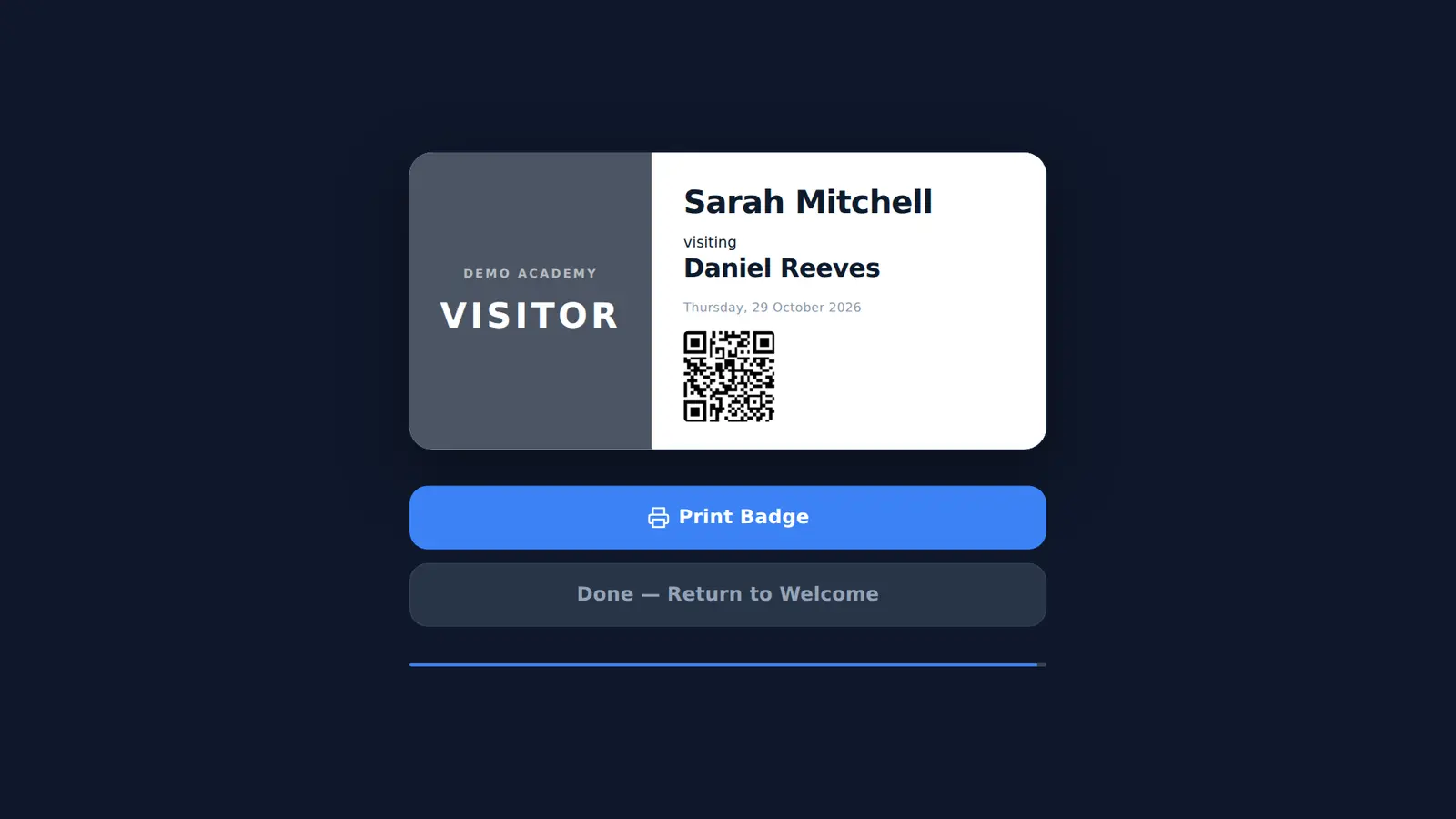
- Badges for helpersA printed VISITOR badge naming the member of staff they are with, so children and staff can tell at a glance.
- Holiday worksSwitch on contractor sign-in so builders and cleaners accept their own rules during the holidays.
- Regular visitorsEach visit is its own record. Pre-registration gives regulars a 5-digit code for a booked date.
- Your MIS, through WondeStaff and pupil records are imported from your MIS through Wonde instead of being typed in, and pupil attendance marks feed the roll call.
Volunteers accept the rules every time.
Your visitor rules box takes your own wording: where helpers may go, phones away, who to report concerns to. Visitors cannot sign in without ticking it, and the time they did is stored with the visit.
- Separate wording for contractors
- Privacy notice ticked at the same time
- Change the wording in the admin page whenever your policy changes
Primary school questions.
Schools hubHow do parent volunteers sign in at a primary school?
As visitors. They tap Visitors, enter their name and who they are helping, tick your rules and print a badge. Switch on reason for visit if you want them to say what they are there for, such as reading.
Can regular volunteers skip the form?
Not entirely. MassVisit does not keep visitor profiles, so each visit is its own record. A volunteer can pre-register for a specific date and sign in with a 5-digit code instead of the full form.
Does a small primary school need the printer?
No. The badge printer is optional. Without one, visitors still sign in and the badge is shown on screen, but you would need your own way to identify them in school.
How much does it cost for one primary school?
On a 3-year sign-up the first site is free in year one, then £499 a year: £998 over the 3 years, with no Mass Coms subscription needed.
See it set up for a primary school.
We put your school name on a demo kiosk and sign in a parent volunteer.